

1. Go to the IRD website www.ird.govt.nz
2. Login to myIR – you will need to register first if you don’t have an account
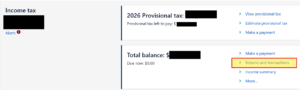
3. Once on your home page, scroll down to the Income Tax section and click on Returns and transactions
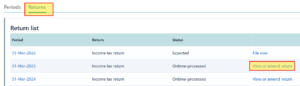
4. Click on the Returns tab, then go to the relevant year and click View or amend return
5. On the top right hand corner, click Download or Print Return
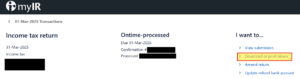
6. Save the PDF file to your computer