

1. Go to the IRD website www.ird.govt.nz
2. Login to myIR – you will need to register first if you don’t have an account
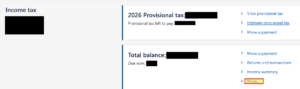
3. Once on your home page, scroll down to the Income Tax section and select More…
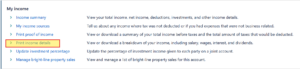
4. Under the My Income section, select Print income details
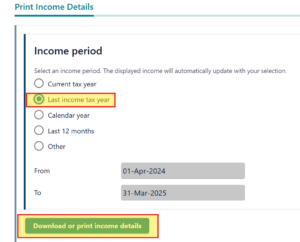
5. Select Last income tax year , then select Download or print income details button
6. Save the PDF and email this to us as an attachment
7. If you want to download your proof of income for the previous financial year, select Other and choose the relevant dates. (e.g., for the 2024 tax year – the start date is 1 April 2023 and finishes on 31 March 2024.